Quickstart: what runs where
See which popular models fit on popular hardware. Pick a provider, then read the grid: models run down the side and machines across the top.
How to read it
Models go from small (top) to large (bottom). Machines go from least memory (left) to most (right). A green cell means the model fits fully in that machine's memory; red means it does not. Where someone has benchmarked the pair, the cell shows measured tokens/sec instead.
Fit is estimated at a 4096-token context. Tokens/sec is measured, and it only appears where someone has benchmarked that model and machine. How we calculate this
Apple Silicon Macs with integrated GPU and neural engine. Great for on-device inference with low power consumption.
| Model ↓ · Machine → |  Mac Mini M4 Mac Mini M4 |  MacBook Pro M4 14-inch MacBook Pro M4 14-inch | Mac Mini M4 Pro | Mac Mini M4 32GB | 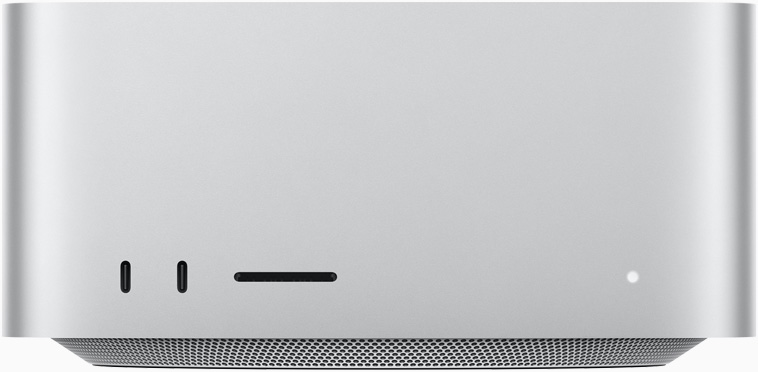 Mac Studio M5 Max Mac Studio M5 Max | MacBook Pro M4 Max 16-inch | Mac Studio M5 Ultra |
|---|---|---|---|---|---|---|---|
 Llama 3.2 1B1B Llama 3.2 1B1B | ✓ FP32 | ✓ FP32 | ✓ FP32 | ✓ FP32 | ✓ FP32 | ✓ FP32 | ✓ FP32 |
 Qwen 2.5 7B7B Qwen 2.5 7B7B | ✓ FP8 | ✓ FP8 | ✓ FP16 | ✓ FP16 | ✓ 40 tok/s | ✓ 75 tok/s | ✓ FP32 |
 Llama 3.3 8B8B Llama 3.3 8B8B | ✓ FP8 | ✓ FP8 | ✓ FP8 | ✓ FP16 | ✓ FP16 | ✓ FP16 | ✓ FP32 |
| Qwen 3 30B-A3B (MoE)30B | ✓ INT2 | ✓ INT2 | ✓ FP4 | ✓ FP4 | ✓ FP4 | ✓ FP8 | ✓ FP16 |
 Llama 3 70B70.6B Llama 3 70B70.6B | ✕ Too big | ✕ Too big | ✕ Too big | ✓ INT2 | ✓ INT2 | ✓ INT2 | ✓ FP4 |
 DeepSeek-V4-Pro (MoE)1600B DeepSeek-V4-Pro (MoE)1600B | ✕ Too big | ✕ Too big | ✕ Too big | ✕ Too big | ✕ Too big | ✕ Too big | ✕ Too big |
High-performance NVIDIA GPUs for data center and gaming. Industry standard for AI inference with best throughput.
| Model ↓ · Machine → |  NVIDIA RTX 4090 NVIDIA RTX 4090 |  NVIDIA RTX 5090 NVIDIA RTX 5090 |  NVIDIA RTX 6000 Ada NVIDIA RTX 6000 Ada |
|---|---|---|---|
| Llama 3.2 1B1B | ✓ FP32 | ✓ FP32 | ✓ FP32 |
| Qwen 2.5 7B7B | ✓ 135 tok/s | ✓ FP16 | ✓ FP32 |
| Llama 3.3 8B8B | ✓ FP16 | ✓ FP16 | ✓ FP32 |
| Qwen 3 30B-A3B (MoE)30B | ✓ 195.78 tok/s | ✓ FP4 | ✓ FP8 |
| Llama 3 70B70.6B | ✓ INT2 | ✓ INT2 | ✓ FP4 |
| DeepSeek-V4-Pro (MoE)1600B | ✕ Too big | ✕ Too big | ✕ Too big |
Tok/s is the fastest measured result for each pair. Hover a green cell to see its best-fitting quantization. Results vary with runtime and settings.
Want more options? See every device · Browse all models